French 75 Tracker in english
Do you keep track of your cocktails?
The French 75 is one of my absolute favourite cocktails — champagne, cognac, lemon juice and a little sugar. Simple, elegant and wonderfully good when made right. But there is a big difference between a well-balanced French 75 and a mediocre one. That deserves to be documented.
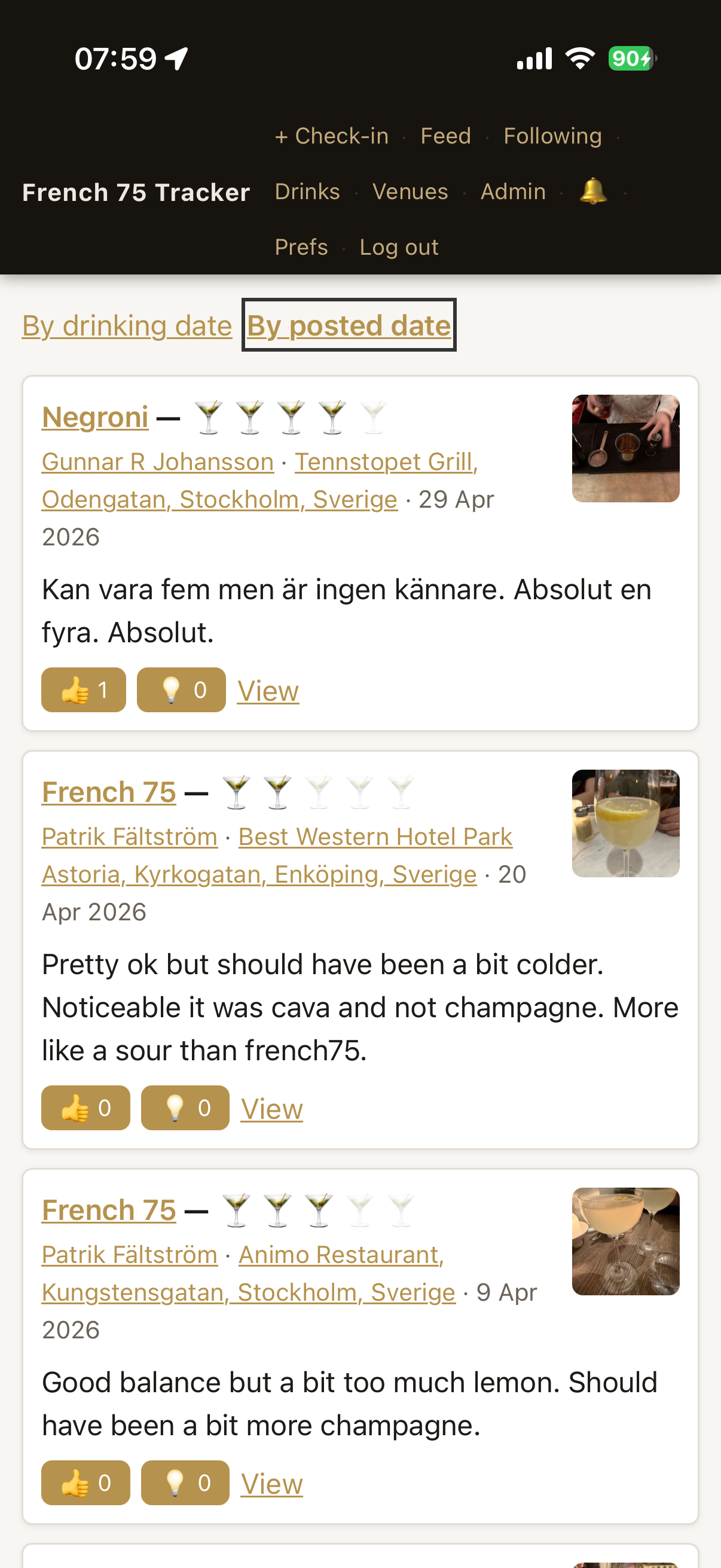
So I built French 75 Tracker — a simple way to check in when you have a French 75 at a bar. You can rate it, write a short review, attach a photo and mark where you are. Over time it becomes a personal guide to where in the world you find the best ones.
You can also follow what friends are drinking and react to each other’s check-ins.
Creating an account
The app is not open to everyone — you apply for access and I approve manually. That keeps it small and friendly.
Here is how it works:
- Go to french75.paftech.se and fill in your name and email address. You will receive an email to confirm your address.
- Click the link in the email. You are taken straight to a step where you choose how you want to log in — either a passkey or Freja eID.
- A passkey is not something you need to obtain in advance. Your phone or computer creates one for you in an instant: on iPhone using Face ID or Touch ID, on a Windows computer using Windows Hello. No password needed.
- Once that is done, your application waits for approval. I review it and you receive a welcome email when you are in.
If you already have an account you can connect a passkey and Freja eID to the same account under Settings.
Add the app to your home screen
Open french75.paftech.se in Safari on your iPhone, tap the share icon and choose Add to Home Screen. The app then appears as an icon just like any other — no need to download anything from the App Store.